
Welcome to the world of iPhone photography, where capturing stunning moments is just a tap away! The iPhone has revolutionized the way we take photos, turning everyone into an amateur photographer. In this article, we’ll uncover ten life hacks that will elevate your iPhone photography skills to the next level. From mastering composition to using hidden features, these tips will help you capture breathtaking shots and create lasting memories.
Optimize Camera Settings
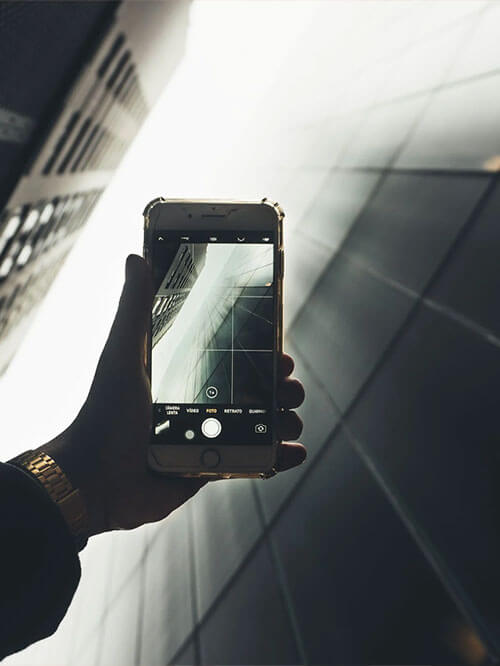
Enable Gridlines: Turn on the gridlines in the camera settings. The grid helps you apply the rule of thirds and achieve better composition in your photos.
HDR Mode: Experiment with HDR (High Dynamic Range) mode in challenging lighting conditions. It blends multiple exposures to capture more details in both shadows and highlights.
Lock Exposure and Focus: Tap and hold on the screen to lock exposure and focus on your subject. This prevents the camera from readjusting settings when you recompose the shot.
Master Composition Techniques
Rule of Thirds: Imagine dividing your frame into nine equal parts using gridlines. Place your subject along these lines or at their intersections to create a balanced and visually appealing composition.
Leading Lines: Look for natural lines or paths in your surroundings that draw the viewer’s eye towards the main subject. Utilizing leading lines adds depth and interest to your photos.
Symmetry and Patterns: Embrace symmetry and patterns in architecture or nature to create captivating and harmonious compositions.
Fill the Frame: Get close to your subject and fill the frame to capture more detail and make your subject the focal point.
Lighting and Exposure
Golden Hour Magic: Shoot during the golden hour – the first hour after sunrise and the last hour before sunset. The soft, warm light during this time enhances your photos with a magical glow.
Avoid Harsh Shadows: In bright sunlight, look for shaded areas or use your body to create a shadow for your subject to avoid harsh, unflattering shadows.
Adjust Exposure Manually: Use the exposure slider in the camera app to brighten or darken your image as needed, especially when dealing with challenging lighting situations.
Unleash the Power of Editing
- Burst Mode: Hold down the shutter button to activate burst mode, capturing a series of photos in quick succession. This is ideal for capturing action shots or selecting the perfect moment from a moving scene.
- Exposure Control: When focusing on a subject, slide your finger up or down on the screen to manually adjust the exposure for brighter or darker images.
Practical Tips for Perfect iPhone Photos
- Clean the Lens: Wipe the camera lens with a soft cloth to remove smudges and ensure clear, sharp photos.
- Use Self-Timer: Reduce camera shake by using the self-timer feature when capturing self-portraits or group photos.
- Avoid Digital Zoom: Stick to optical zoom when possible, as digital zoom can lead to loss of image quality.
Earnings on iPhone photography have become a popular way for photography enthusiasts to monetize their passion. With the advancement of social media platforms and stock photo websites, selling iPhone-captured images has become accessible to a broader audience. Many photographers now offer their photos for sale as prints, digital downloads, or even on merchandise through online marketplaces. Additionally, some businesses and brands seek unique and eye-catching iPhone photos for their marketing campaigns, creating opportunities for photographers to collaborate and earn from their skills. With dedication, creativity, and a keen eye for capturing moments, earning through iPhone photography has become a viable and rewarding venture for many talented individuals.
Conclusion
Congratulations! Armed with these top ten life hacks, you’re now equipped to take stunning photos with your iPhone. From mastering camera settings and composition techniques to harnessing the power of editing, your photography skills will continue to evolve and improve. Remember, practice makes perfect, so get out there, explore your surroundings, and capture the beauty of the world through your iPhone lens. Happy snapping!
Frequently Asked Questions:
Enable gridlines for better composition, use HDR mode in challenging lighting, and lock exposure and focus for precise control.
Master the rule of thirds, utilize leading lines for depth, and explore symmetry and patterns for visually appealing shots.
Use editing apps like Snapseed or VSCO, preserve original copies before editing, and develop a consistent editing style that suits your artistic vision.
How useful was this post?
Click on a star to rate it!
Average rating 5 / 5. Vote count: 7
No votes so far! Be the first to rate this post.
We are sorry that this post was not useful for you!
Let us improve this post!
Tell us how we can improve this post?